
One KU Training Grants & Fellowships: user guide
How to set up, enter data, keep it verified, and produce NIH training data tables for T32 and other institutional training grants, NIH F-series fellowships, and NSF GRFP.
1. Logging in
- Open the link you were given in any current browser (Chrome, Edge, Safari, or Firefox).
- Sign in with the username and password you were sent. You land on the Training Grants dashboard.
The demo site runs from a single computer, so it's available only while that computer is running it. Its link changes each time it restarts: if the page doesn't load, ask the person who sent it for the current link. Everything in this copy is fictional sample data, so explore freely. Nothing you change affects real records.
2. Finding your way around
The tabs in the blue header take you everywhere. The tab you're on is underlined in crimson.
| Tab | What it is for |
|---|---|
| Training Grants | T32 and other institutional programs: headline numbers, NIH receipt dates, charts, and compliance checks. It opens after you log in. |
| NIH Tables | Builds the NIH data tables and downloads them as Word, PDF, or CSV. |
| Fellowships | F-series and NSF GRFP: applications in progress, deadlines and reference letters, and outcomes. |
| Pull & Compare | Pulls trainees' publications and faculty funding from OpenAlex, PubMed, NIH RePORTER, NSF, and Flight Tracker, and compares them with the records. |
| Records | Every kind of record, grouped by area, where you add, edit, search, filter, import, and export. |
| Templates | Blank Excel workbooks for loading records in bulk. |
| Resources | Parent announcements, NIH and NSF policy, systems, and KUMC guidance. |
| Help | This guide. |
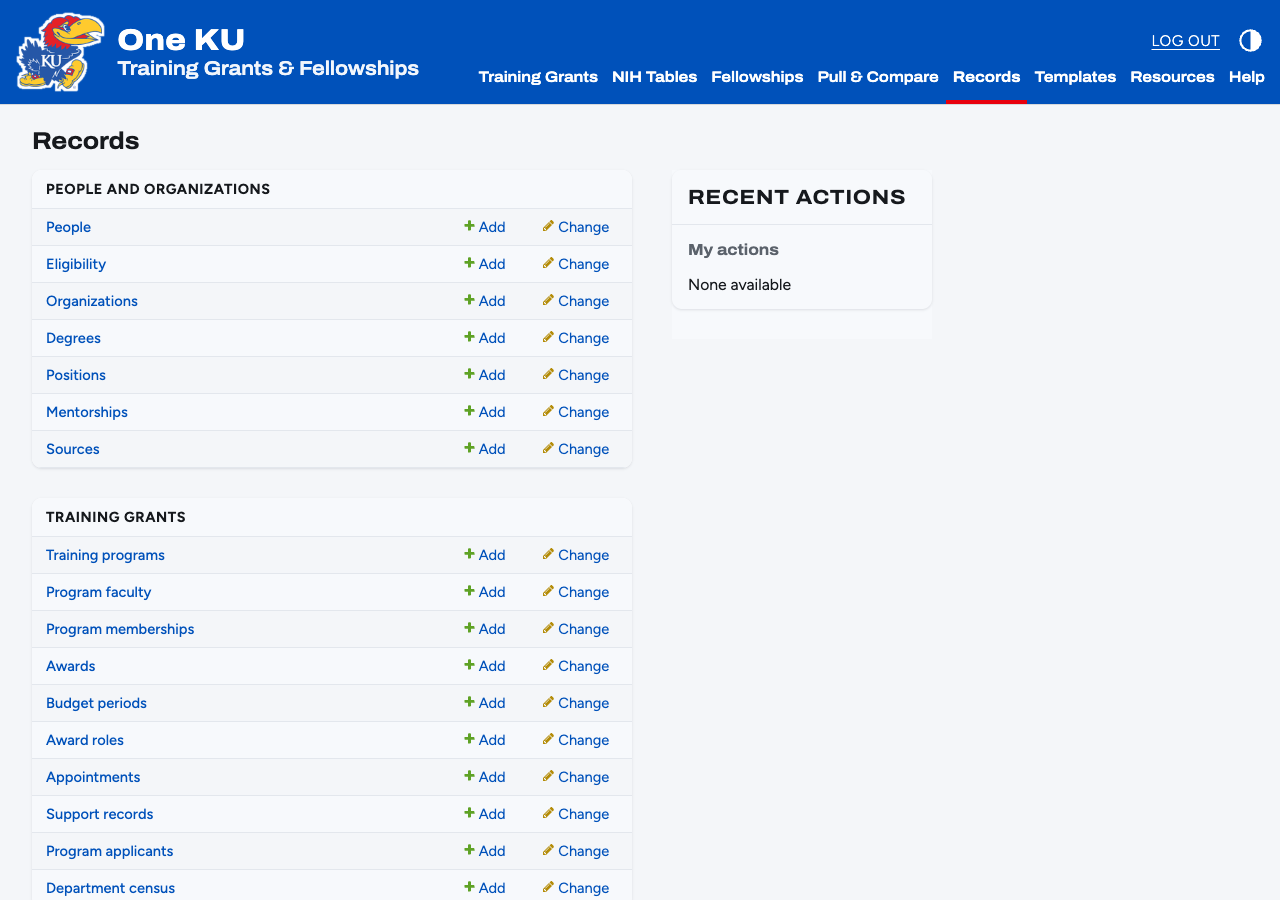
On any list you can search (box at the top), filter (panel on the right), sort (click a column heading), and act on several rows at once (tick them, then choose an action). People, programs, awards, appointments, applications, and program memberships can also be filtered by campus. At the top right, the circle icon switches between light and dark mode, and Log out ends your session.
3. Accounts and roles
Only the administrator can add people. Go to Records → Users → Add user, set a username and password, then on the next screen tick Staff status (required to log in) and add the person to one or more groups:
| Group | Can do |
|---|---|
| Coordinator | Add and edit every record, import and export, build tables, save snapshots and record their review. Cannot see citizenship. |
| Viewer | Read everything except citizenship. Cannot change anything. |
| Eligibility | See and edit citizenship and NIH eligibility determinations. Add this to a Coordinator who checks eligibility. |
Sessions end when the browser closes and after eight hours.
4. Entering records
Records point to other records, so add them in this order. If a drop-down doesn't have what you need, the green + beside it creates that record without leaving the page.
| # | Record | What goes in it |
|---|---|---|
| 1 | Sources | Where data comes from: SPA, Workday, SLATE, GME, a REDCap survey, a prior application. See section 6. |
| 2 | Organizations | KU, KUMC, schools, departments, graduate programs, and outside schools and employers (for degrees and jobs). |
| 3 | Training programs | The program, its home organization, and its participating departments (Table 1 rows). Add faculty and trainees in the sections below the form. |
| 4 | People | Faculty, trainees, applicants, and referees. One record per person, however many roles they have. |
| 5 | Awards | The training grant itself (with budget years and slots), faculty research grants (Tables 3 and 4), and fellowships and later grants trainees win (Table 8). |
| 6 | Appointments | Who holds which slot, when, with 2271, 416-7, and payback dates. See section 7. |
| 7 | Applications | F30, F31, F32, F99/K00, GRFP, and T32 submissions. See section 8. |
| 8 | Program applicants, Department census, Publications | Table 6 applicant pools, Table 1 counts, and Table 5 publications. |
A person's page
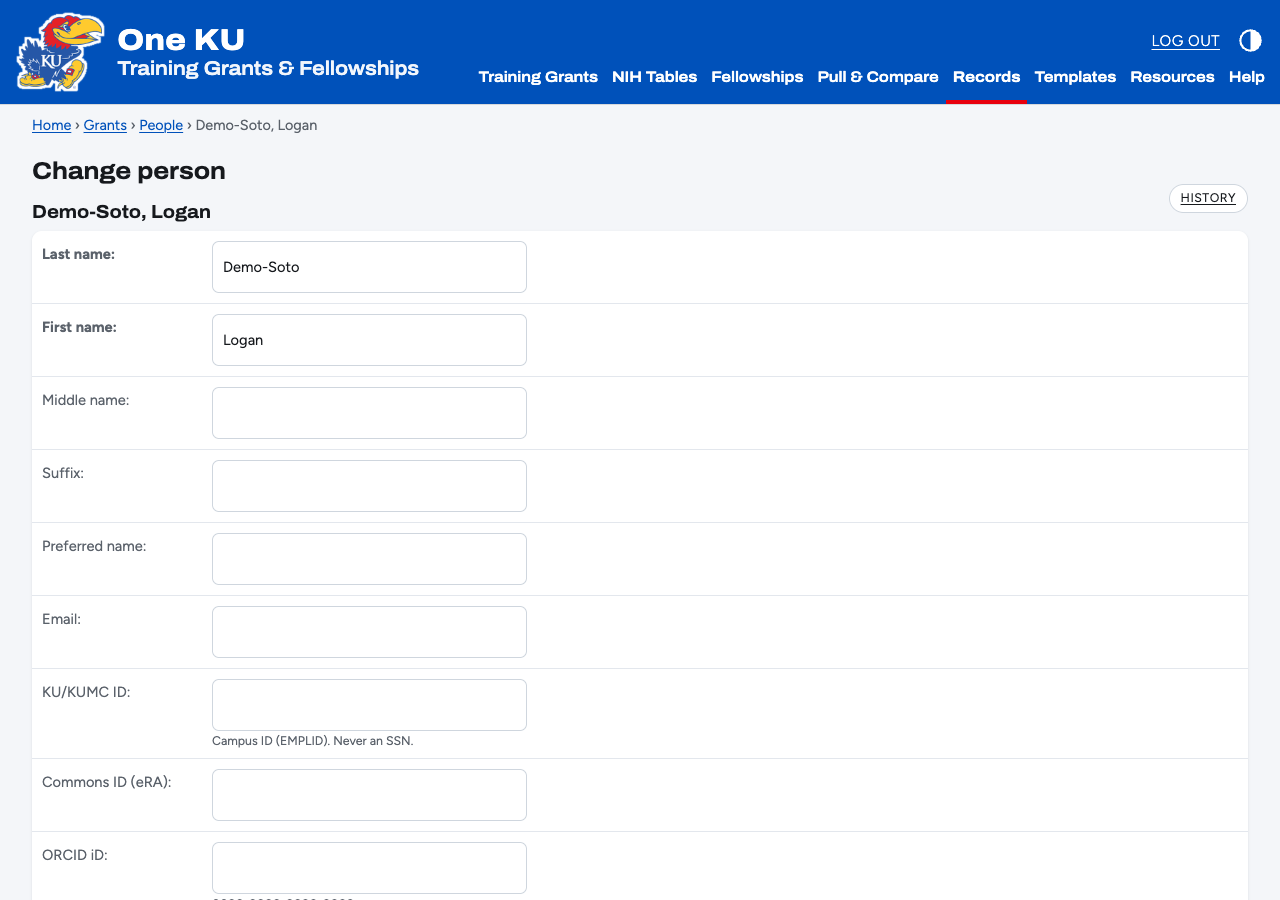
- Academic department or program is where the person trains or teaches. HR / payroll department is the Workday cost center. They often differ, and the tables only ever use the academic one.
- Use the campus ID, eRA Commons ID, and ORCID. The app never stores Social Security numbers.
- Degrees drive time to degree and "in training" on Table 8. Mark in-progress degrees as In progress.
- Positions are jobs. The first job after training is the Table 8 initial position; the job with no end date is the current position. Set the sector and principal activity, which are NIH's own codes.
- Mentors need a kind (primary, co-mentor, committee), a level, and dates. Tables print up to two mentors.
- Support records cover funding other than this program's own training grant (appointments count automatically). Pick NIH's source and type codes, for example Univ + RA, or NIH/HHS + F linked to the F31 award.
A program's page
Program faculty rows give each faculty member's training role (PD/PI, Preceptor, Exec. Comm., Other Comm., Other), department, and research interest. A person can hold up to three roles. Program memberships list every trainee clearly associated with the program, appointed or not, with entry and exit dates, status, research topic, and the academic department they train in.
An award's page
Add budget periods for each year: dates, direct costs, and for training grants the predoctoral, postdoctoral, and short-term slots. Add roles for the PD/PI, multiple PIs, project leads, and training faculty. For a subaward, a component or core, or an agreed multi-PI split, put the amount the person actually controls in Allocated direct costs. Table 4 uses it instead of dividing the award evenly. When sources disagree on money, use the Notice of Award.
5. Importing from Excel
Ready-made workbooks for every record type are on the Templates page (link in the header), listed in the order to fill them. Each one has the right columns, a note on every column heading (hover over it in Excel), dropdowns for columns with fixed choices, and an Instructions sheet.
- Download the template for the record type from Templates. To update records you already have, use the Export button on that list instead and choose xlsx: it comes with their current values and ids.
- Fill in your rows. Leave the
idcolumn blank for new records; keep it for rows you're updating. - Click Import, choose the file, set Format to xlsx, and click Submit.
- Check the preview. It shows each row as new, updated, skipped, or in error. Nothing is saved yet.
- Click Confirm import. If any row fails, nothing is saved, so fix the file and try again.
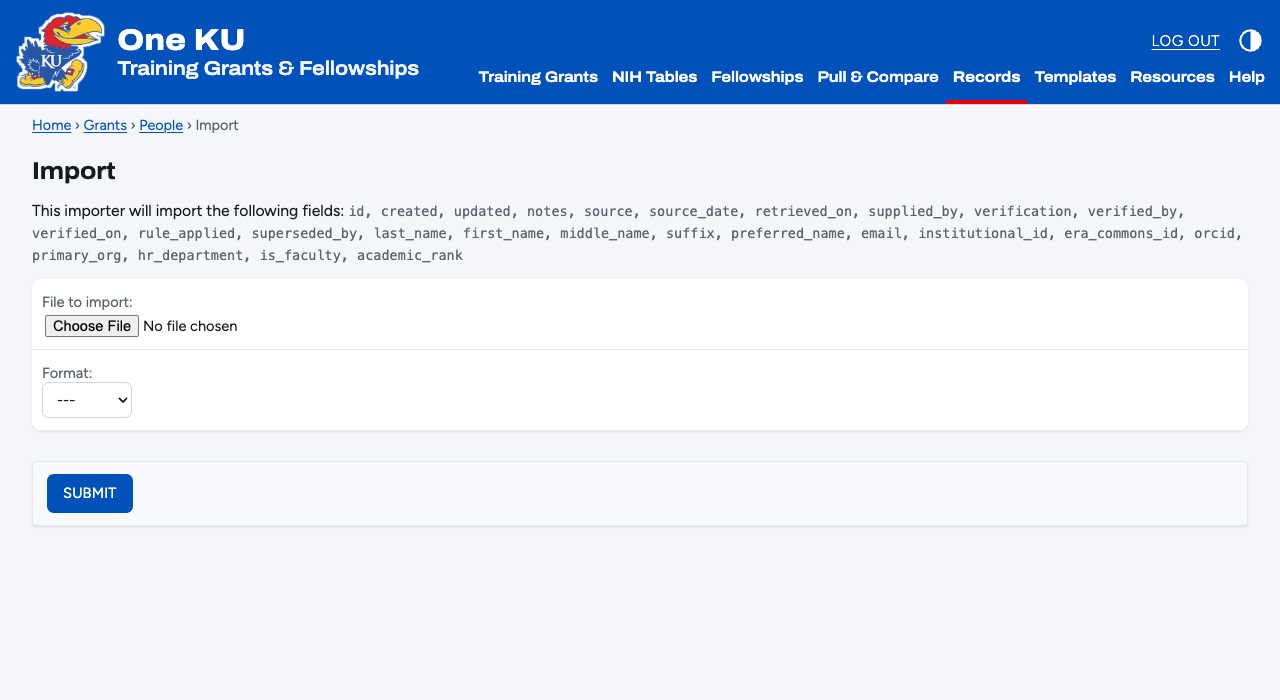
YYYY-MM-DD. Links to other records use their id number,
except source, which takes the source's name (for example SPA). Import organizations and people before
the records that point to them.6. Sources and verification
Every record has a collapsed Source and verification section. It is how the app answers "where did this number come from?"
| Field | Use it for |
|---|---|
| Source, source date, retrieved on | The system, survey, or prior application the record came from, and the dates. |
| Supplied by, verified by, verified on | Who gave you the value and who confirmed it. |
| Verification | Unverified, Verified, Needs review, Conflict between sources, or Superseded. The dashboard lists every Needs review and Conflict record. |
| Rule applied | The definition you used, for example "Table 4: Notice of Award over RePORTER". |
| Superseded by | When a newer record replaces this one. The old record stays for the audit trail but drops out of every table and check. |
When two sources disagree, keep both records, mark the one you trust Verified, and point the other's Superseded by at it. Every list can be filtered by verification status and by source.
7. Appointments and compliance
An appointment puts a trainee in a slot on one budget year of a training grant. It has to fall inside that budget year, and the app won't save one for a trainee whose eligibility determination is Not eligible.
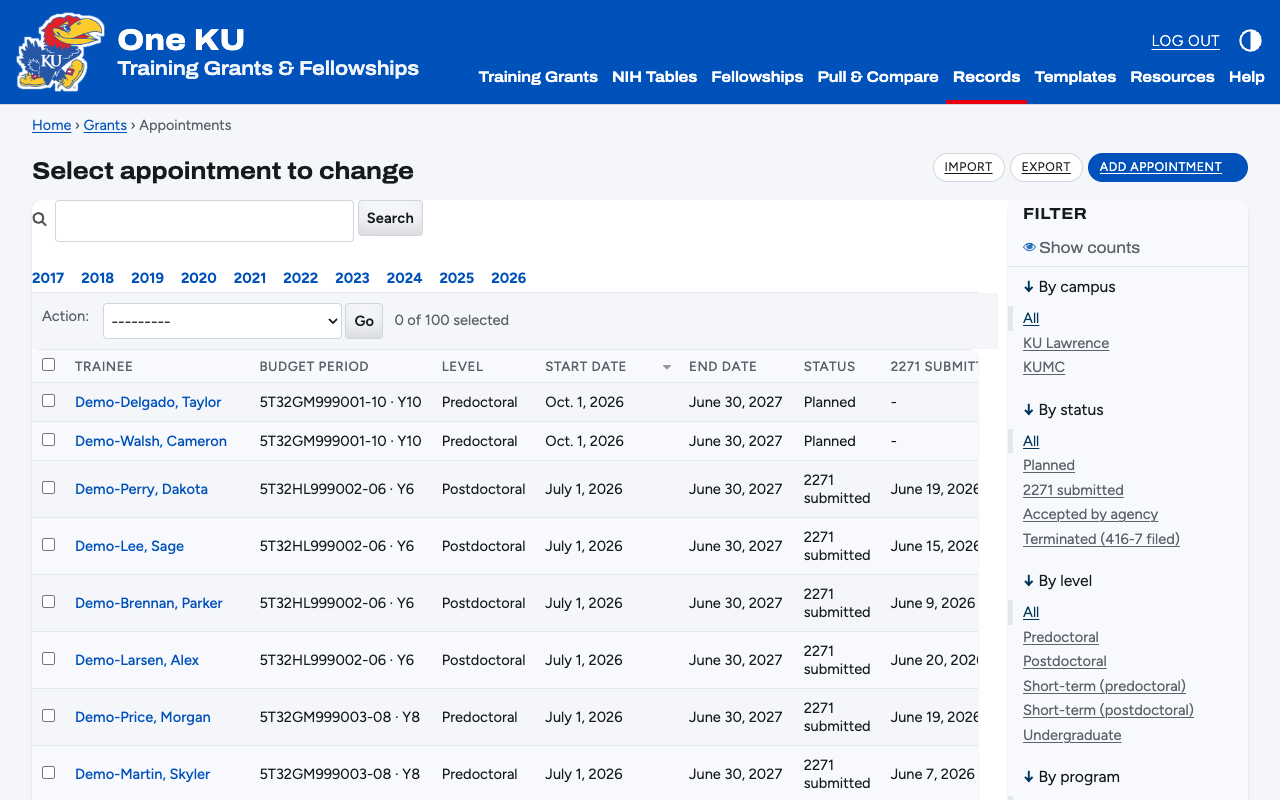
- Record the appointment with its level, dates, stipend, and tuition.
- When you submit the Statement of Appointment in xTrain, enter the 2271 submitted date.
- When the appointment ends, file the Termination Notice and enter the 416-7 submitted date.
- For a postdoc's first 12 months, tick Payback required and enter the date the PHS 6031 payback agreement was signed.
Eligibility
Citizenship is kept apart from the decision. Citizenship (evidence) records what the source says and Evidence says what it rests on (Workday field, I-551 seen, self-report). NIH eligibility determination is the call a person makes: Pending, Eligible, or Not eligible, with who made it and when. Only the Eligibility group sees this section.
8. Fellowships (F-series and GRFP)
Fellowship applications are records like any other, under Records → Applications. The Fellowships tab summarizes them (see section 9).
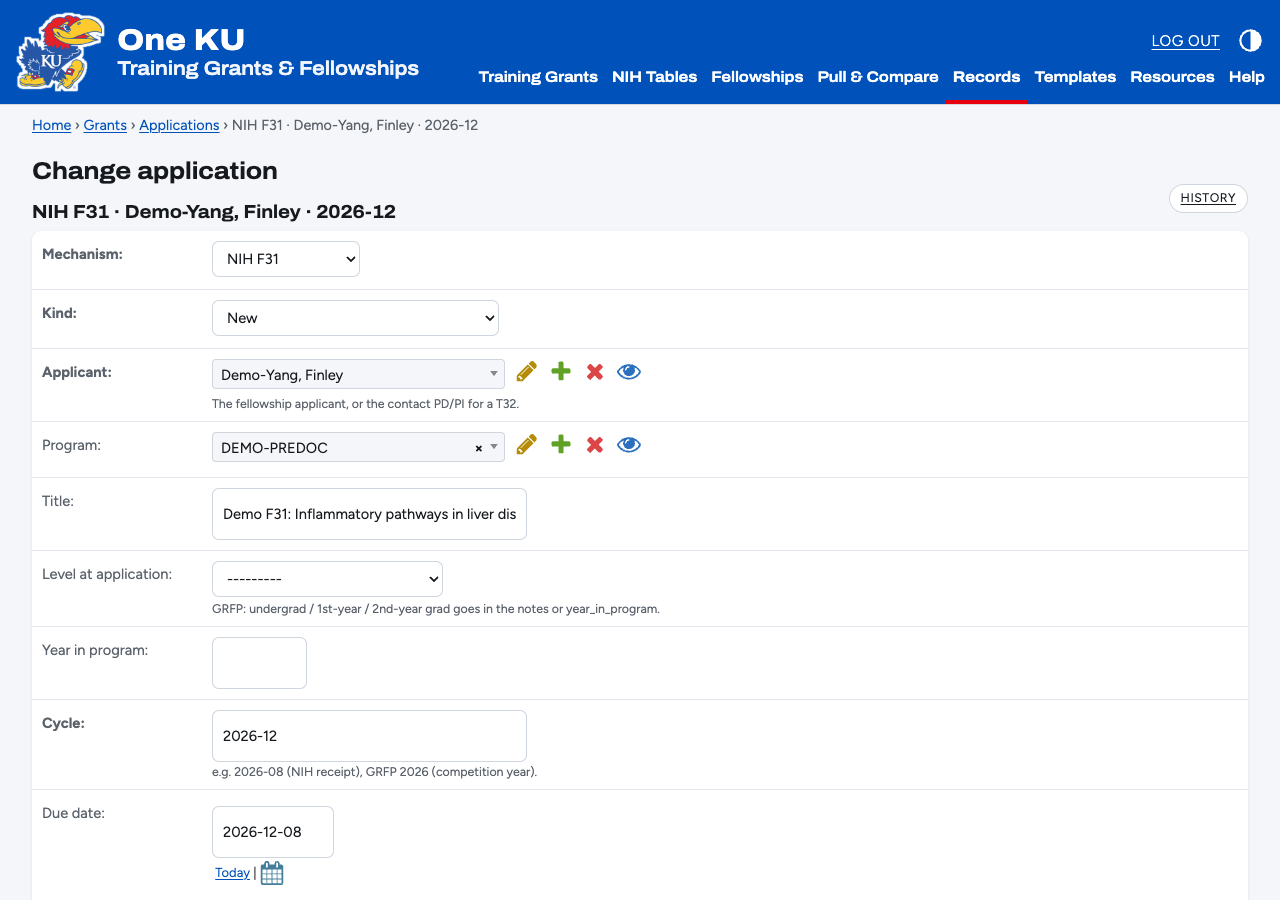
- Create the application: mechanism, the applicant, cycle (for example
2026-12, orGRFP 2026), due date, and status. - Add the sponsor, co-sponsor, and referees. Enter each letter's received date: the Fellowships tab counts outstanding letters for deadlines in the next 60 days.
- After review, add the review result (NIH impact score, study section, dates) or ratings (GRFP: Intellectual Merit and Broader Impacts from each reviewer).
- Set the outcome: Awarded, Honorable mention (GRFP only), Not discussed, or Not funded.
- For an A1, create a new application with kind Resubmission and point Resubmission of at the A0. The history stays linked.
- When funded, create the award and link it on the application. For GRFP, record tenure, reserve, and deferral years as fellowship status events on the award.
9. The dashboards
Training grants and fellowships each have their own tab, so the two never mix. On both, Show at the top narrows the numbers and charts to one campus (KU Lawrence or KUMC) or one program. Hover over a chart for values, or open Show as table for the numbers. Academic years run July to June and appear on charts as, for example, 17–18.
Training Grants
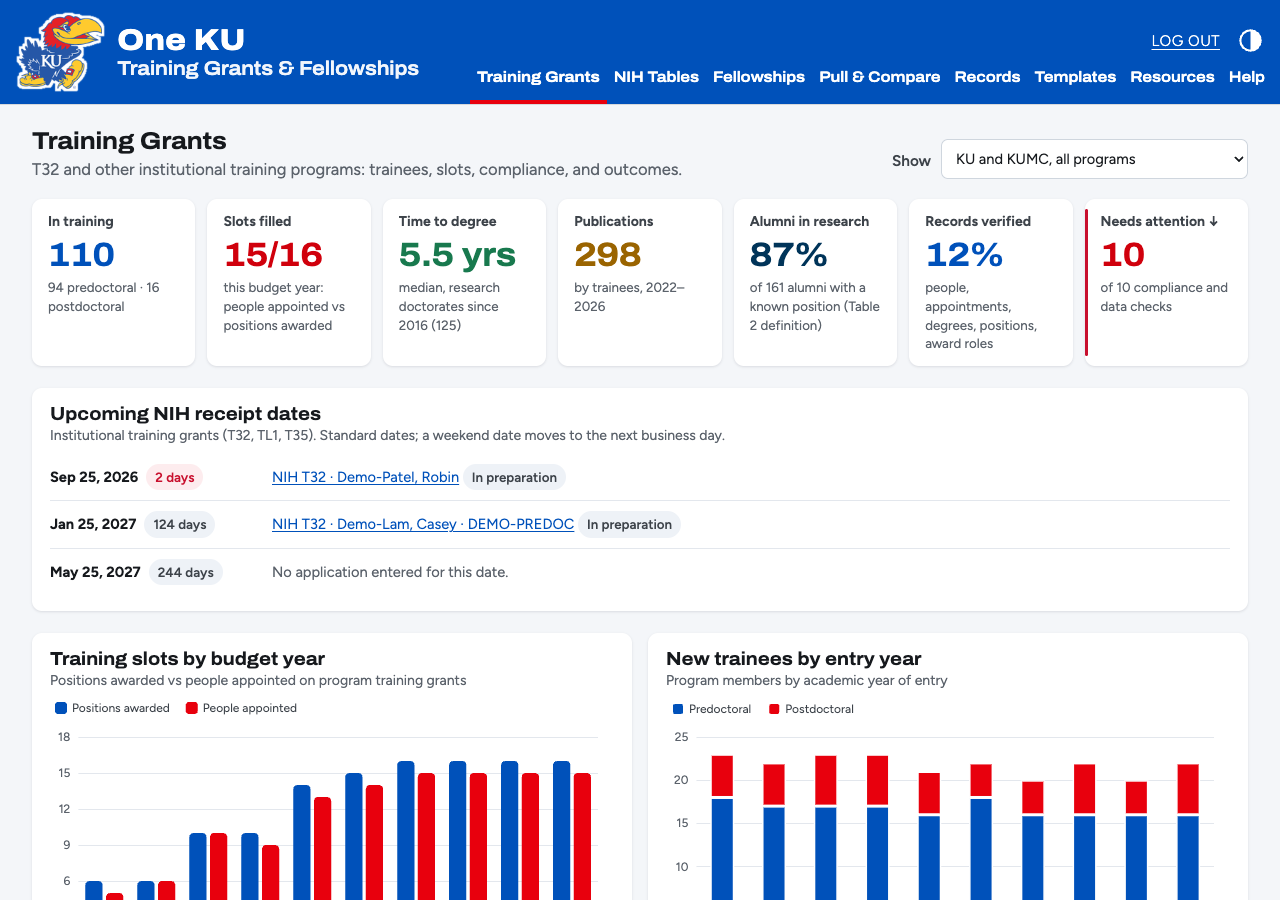
| Tile or panel | What it counts |
|---|---|
| In training | Program memberships with status In training, split predoctoral and postdoctoral. |
| Slots filled | People appointed in the current budget year out of positions awarded, shown as 10/11. |
| Time to degree | Median years to a research doctorate, for degrees earned in the last ten years. |
| Publications | Publications by program trainees in the last five calendar years. |
| Alumni in research | Graduates whose current job is primarily research, research-related, or further training. This is the same definition Table 2 uses. |
| Records verified | Share of people, appointments, degrees, positions, and award roles marked Verified. |
| Needs attention | How many of the compliance and data checks below have something to fix. |
| Upcoming NIH receipt dates | The next three standard dates for institutional training grants (January 25, May 25, September 25), with any application entered for each. A date on a weekend moves to the next business day. |
| Charts | Training slots by budget year, new trainees by entry year, current trainees by department, and where alumni are now. |
How KU compares
Near the bottom of each tab, How KU compares sets KU's NIH awards against peer universities, using public
NIH RePORTER data: T32s on the Training Grants tab, F-series fellowships on the Fellowships tab. Choose KU and KUMC together
or either campus, the peers to compare with (KBOR peers, KU's AAUDE comparison group, or both), whether to count only peers
with a medical school, and the period. The charts show awards per fiscal year against each group's average, the NIH
institutes that fund them, and where KU ranks. Averages are per institution. Peer lists come from KU AIRE's comparison groups
(the KBOR list was approved in October 2013); each institution is counted under its RePORTER organization names, listed in
grants/peers.json. The administrator refreshes the data with uv run python manage.py load_benchmarks.
Fellowships
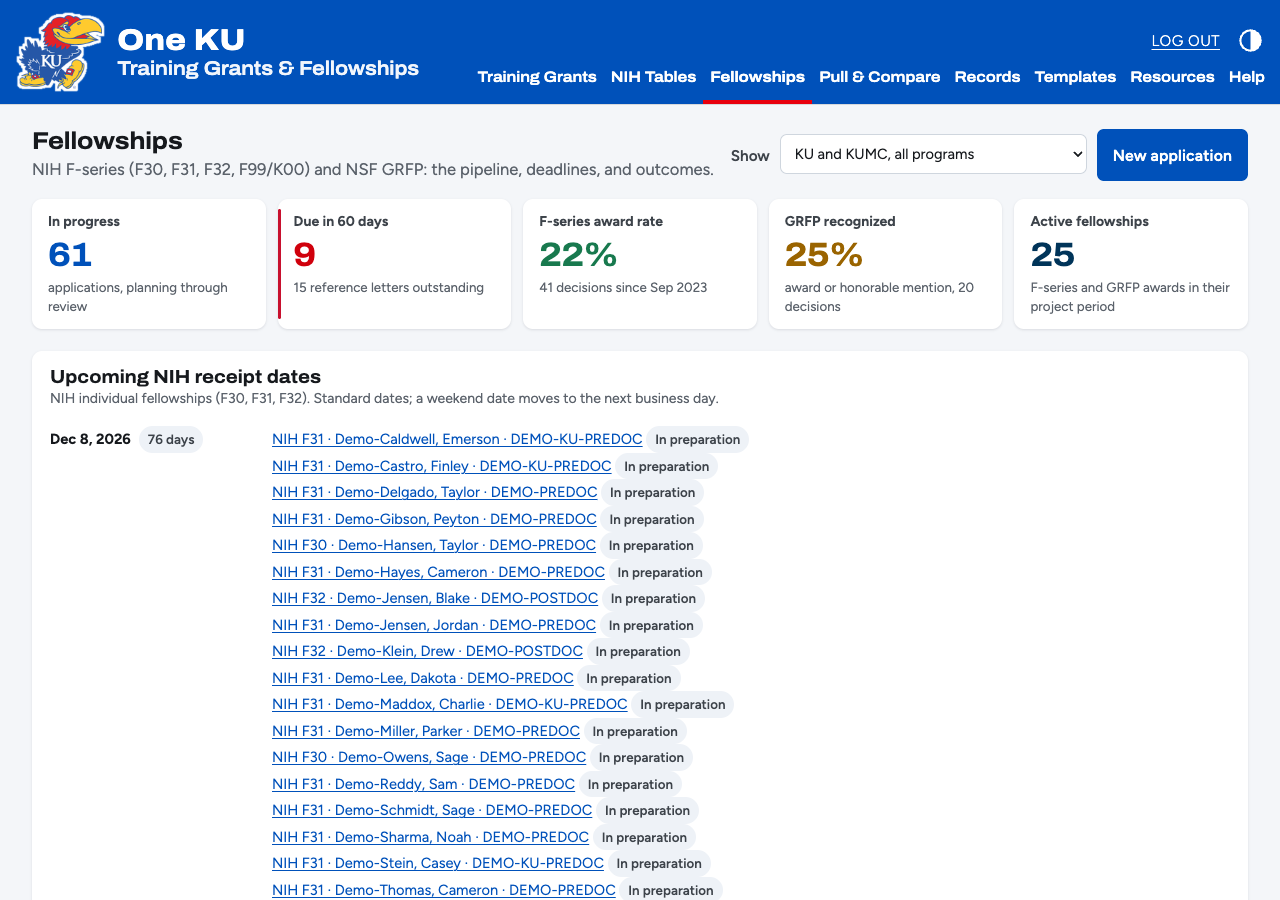
| Tile or panel | What it counts |
|---|---|
| In progress | Applications from planning through review. |
| Due in 60 days | Applications being prepared that are due within 60 days, and how many reference letters are still out. |
| F-series award rate | F30, F31, F32, and F99 decisions in the last three years that were awards. |
| GRFP recognized | GRFP decisions in the last three years that were an award or an honorable mention. |
| Active fellowships | F-series and GRFP awards inside their project period today. |
| Upcoming NIH receipt dates | The next three standard F-series dates (April 8, August 8, December 8), with any application entered for each. |
| Lists and charts | What's due in the next 60 days with its sponsor and letters, outcomes by mechanism and by decision year, F-series impact scores, whether resubmitting pays off, and recent decisions. |
Needs attention
Each dashboard ends with its own checks. Anything listed links to the record to fix.
| Check | How to clear it |
|---|---|
| Training grant deadlines in the next 120 days (Training Grants) | Make sure the application is entered and its tables are built and reviewed. |
| Appointments missing a 2271 | Submit in xTrain and enter the 2271 date. |
| Ended appointments missing a 416-7 | File the Termination Notice and enter its date. |
| Payback agreements not recorded | Enter the PHS 6031 signature date. |
| Budget years over their slots | Appointed full-time equivalent (months ÷ 12) exceeds the slots. Fix the dates or the slot counts. |
| Trainees near the NRSA support limit | Within 12 months of 5 years predoctoral or 3 years postdoctoral support. Plan their funding. |
| Alumni outcomes to re-verify | No current job, or not confirmed in a year. Update the position and its verified date. |
| Records flagged for review or in conflict | Resolve and mark Verified, or supersede. |
| Current trainees without an eligibility determination | Someone in the Eligibility group records the determination. |
| Tables 1 and 6 awaiting program review | Have a program representative check the snapshot and record their review. |
| Fellowship deadlines in the next 60 days (Fellowships) | Chase outstanding reference letters; enter each letter's received date. |
| Fellowship outcomes not yet recorded (Fellowships) | Enter the outcome and decision date once the result is known. |
10. NIH training tables
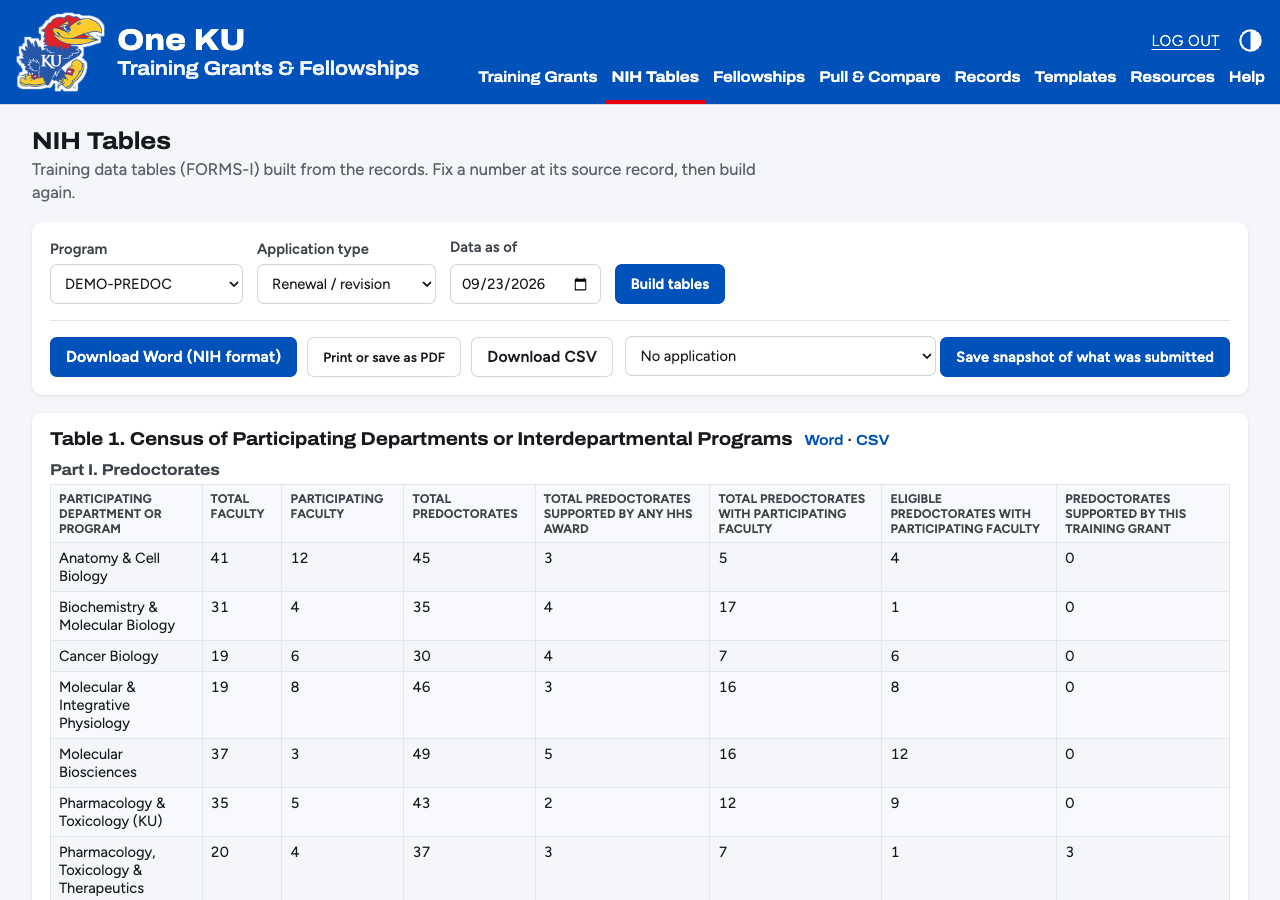
- Open NIH Tables, choose the program, New or Renewal / revision, and the Data as of date.
- Click Build tables. The app includes exactly the tables NIH requires for that application type and the program's training levels.
- Read them on screen. Anything wrong goes back to the record it came from; fix it and build again.
- Download Word (NIH format) gives a landscape document with a List of Data Tables first page and each table on its own page. Save it as PDF from Word for upload, or use Print or save as PDF. Each table also has its own Word and CSV link.
- When you submit, click Save snapshot of what was submitted and pick the application. Snapshots never change, even as the records do. Record who reviewed Tables 1 and 6 on the snapshot under Records → Table snapshots.
Where each table's numbers come from
| Table | Built from |
|---|---|
| 1 Census | Department census rows, plus this year's appointments by academic department. |
| 2 Faculty | Program faculty, degrees, ranks, and mentorships (10-year counts). |
| 3 Other training grants | Active organizational training awards that share faculty with this program. |
| 4 Research support | Faculty PD/PI and project-lead roles with current budget-year direct costs. |
| 5A / 5B / 5D Publications | Trainee authorships, mentors, and training periods. |
| 6A / 6B Candidates | Program applicants over five completed academic years (July to June). |
| 7 Appointments | Budget-year slots and the people appointed each year. |
| 8A / 8B / 8C / 8D Outcomes | Memberships, appointments, support records, degrees, jobs, and later grants. |
10a. Pull & Compare
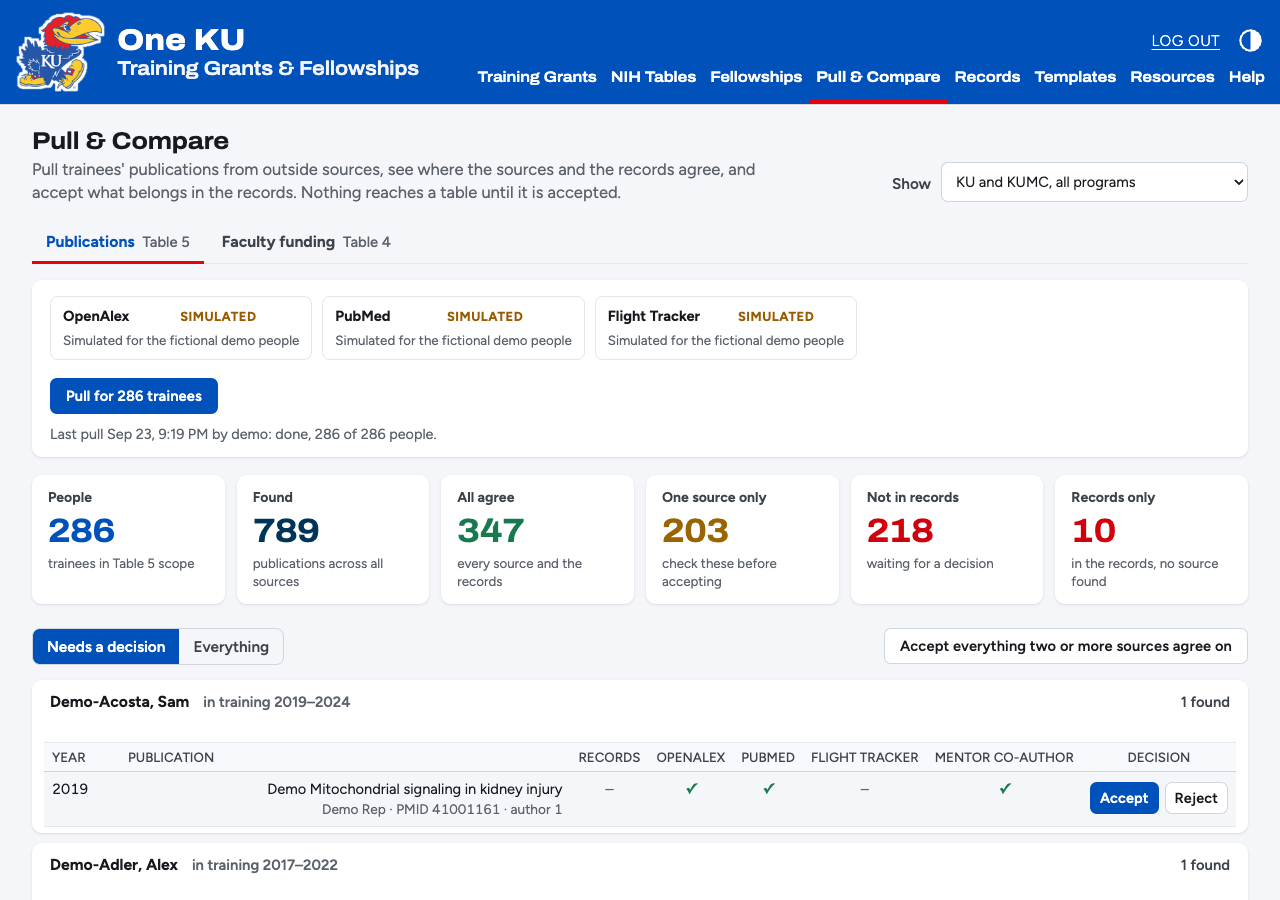
Table 5 needs every trainee's publications and Table 4 every faculty member's research support. Pull & Compare gathers both from outside sources, lines them up against the records, and lets you accept what belongs. Nothing reaches a table until someone accepts it.
| Tab | Who | Sources |
|---|---|---|
| Publications (Table 5) | Every trainee in the chosen campus or program | OpenAlex and PubMed, by ORCID and by name with a Kansas affiliation; each mentor's papers from the training years that list the trainee; Flight Tracker at KUMC |
| Faculty funding (Table 4) | Current program faculty | NIH RePORTER and NSF, by name at KU or KUMC; Flight Tracker at KUMC |
- Choose the campus or program in Show, then click Pull. It runs in the background; the page updates as it goes.
- Needs a decision lists what the sources found that the records don't have. A check in several source columns, an ORCID match, or the mentor as a co-author makes a match more likely to be the right person. One source alone, a paper outside the training years, or an unfamiliar journal deserves a closer look.
- Accept creates the publication and authorship (or the award, its current budget year, and the role), with the sources recorded and marked Verified when two or more agreed. Reject hides a wrong match for good. Accept everything two or more sources agree on does the easy ones at once.
- In the records, not found by any source lists records no source confirmed: check them, or the person's name and ORCID.
Adding a person's ORCID to their record makes every search sharper. Viewers can see comparisons but not change records. In this demo the sources are simulated from the fictional records.
11. Data handling
- The database is one file,
training_grants.sqlite3, in theTrainingGrantsDatafolder in your home folder. Back it up by copying that folder while the app is closed. - Keep it on KU-approved storage only. Don't put it on OneDrive, Dropbox, or a shared network drive for several people to use at once: that corrupts it.
- Citizenship is visible only to the Eligibility group, and it never appears in the tables, exports of other records, or snapshots.
- For a team to share one database, the app moves to a KU-hosted server with KU sign-on. That needs KU IT.
12. Troubleshooting
| Problem | Fix |
|---|---|
| The page won't load | The demo runs from one computer and its link changes on each restart. Ask the person who sent it for the current link. |
| Forgot the password | Ask the person who sent you the link. |
| "That form expired" | The page sat open a long time, or a form was sent twice. Reload the page and try again. |
| A table is missing someone | Check their program membership (level, dates, status) and, for renewal tables, their appointment. Superseded records are left out on purpose. |
| A save fails with a red message | The message names the rule, for example an appointment outside its budget year. Fix that field and save again. |
13. Glossary
| 2271 | PHS 2271 Statement of Appointment, filed in xTrain when a trainee is appointed. |
| 416-7 | PHS 416-7 Termination Notice, filed in xTrain when an appointment ends. |
| 6031 | PHS 6031 Payback Agreement, signed before a postdoc's first 12 months of NRSA support. |
| FORMS-I | NIH's application forms for due dates on or after January 25, 2025, including the current training table formats. |
| NRSA | Ruth L. Kirschstein National Research Service Award, the program behind T32 and F-series support. |
| Slot | A funded trainee position in a budget year. Two people each appointed for six months fill one slot. |
| Snapshot | A frozen copy of a table exactly as built on a date, kept as the record of what was submitted. |
| Superseded | A record replaced by a newer one. Kept for the audit trail, left out of tables and checks. |
| TY1, TY2 | Training years counted from a trainee's start date, used in Table 8's support summary. |
| xTRACT, xTrain | eRA Commons modules for training tables and for appointments and terminations. |